
Stop chasing certificates at year end.
Onestop CPE for Teams gives practice principals a live view of every agent's CPE pace, approval workflows for partners, and training plans across roles. The audit becomes a Tuesday afternoon, not a fire drill.
Every practice has the same six weeks of dread before the TPB cycle ends.
Three agents, four spreadsheets, certificates scattered across email, Drive and someone's downloads folder.
"Hold on, you're 12 hours short and we have three weeks left." Discovered too late, fixed in panic.
Partner sign-off happens by chance, not by design. Audit risk lives in the gap.
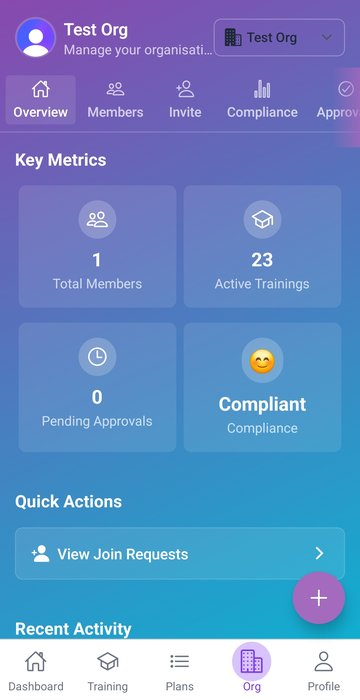
Every agent's pace, on one screen.
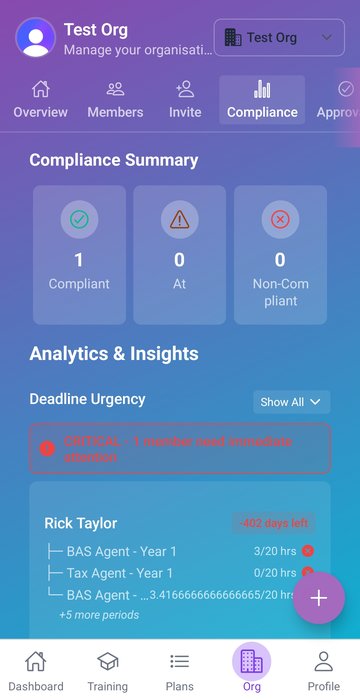
See your whole team in real time. Hours captured, hours required, days remaining, who's behind. By role, by category, by cycle. The conversations that used to start at week 50 of the cycle now start at week 10.
- ✓ Real-time pace by member and role
- ✓ Heat-map of categories at risk
- ✓ Filter by team, role, cycle
Partners sign off before it hits the audit record.
Switch on approval workflow at the org level. Every CPE entry queues for partner sign-off before it counts. Sole agents skip this step entirely. You decide where the bar sits.
- ✓ Toggle on or off per organisation
- ✓ Push and email reminders to approvers
- ✓ Audit log of every approval event
Plan the year. Track to it.
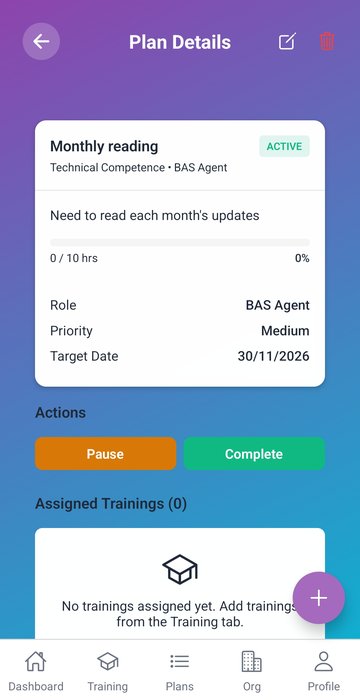
Build training plans by role. Assign them to members. Watch progress against plan instead of just against the regulator's minimum. The strongest practices treat CPE as professional development, not a tick-box exercise — and it shows in the pricing they can charge clients.
- ✓ Plans per role, with category targets
- ✓ Assign to one member or the whole team
- ✓ Progress vs plan in the dashboard
One bill. Members keep their roles. Admins are free.
Member tracking their own CPE
For anyone in the practice who holds a regulated role — Tax Agent, BAS Agent, FP, CPA and so on. Full access, multi-role, no per-role uplift.
- ✓ Hold any number of professional roles
- ✓ Full mobile + web app access
- ✓ Personal compliance dashboard + audit-ready export
Org admin only (no personal CPE)
For practice managers and principals who oversee the team but don't personally track CPE for a regulated role. Free, no paid seat consumed.
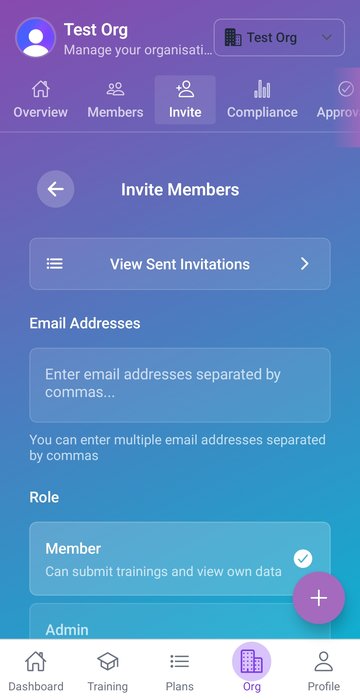
- ✓ Invite members and assign seats
- ✓ Approve entries and oversee compliance
- ✓ No CPE tracking obligations attached
Most CPE trackers force a choice: a personal product or an enterprise product, never both. Onestop CPE supports both at once. A member's personal plan tracks their roles wherever they go; a team plan layers org visibility on top for the roles they share with the practice. Leave the practice and your personal records come with you.