
See it in two minutes — or read it in five.
Pick how you learn. Watch short walkthroughs of the actual app, or read a step-by-step from sign-up to audit export.
Install, sign up, set your roles.
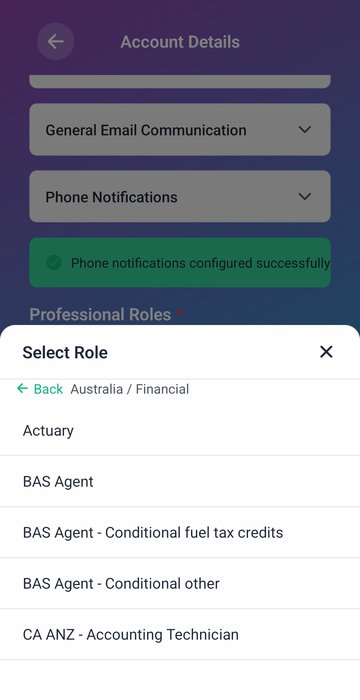
Download the app from the App Store or Google Play. Sign up — phone or email is fine. Add the roles you actually hold: Tax Agent, BAS Agent, CPA, FP, or any of the supported professions. Each role gets its own cycle and category mix.
Your first month is free. No credit card. Subscribe only if you want to keep going.
Log training the moment it ends.
Tap the plus, fill three fields, attach a certificate or photo of the page. Or forward your confirmation email to your unique address — the record creates itself. Done in seconds, before you've left the venue.
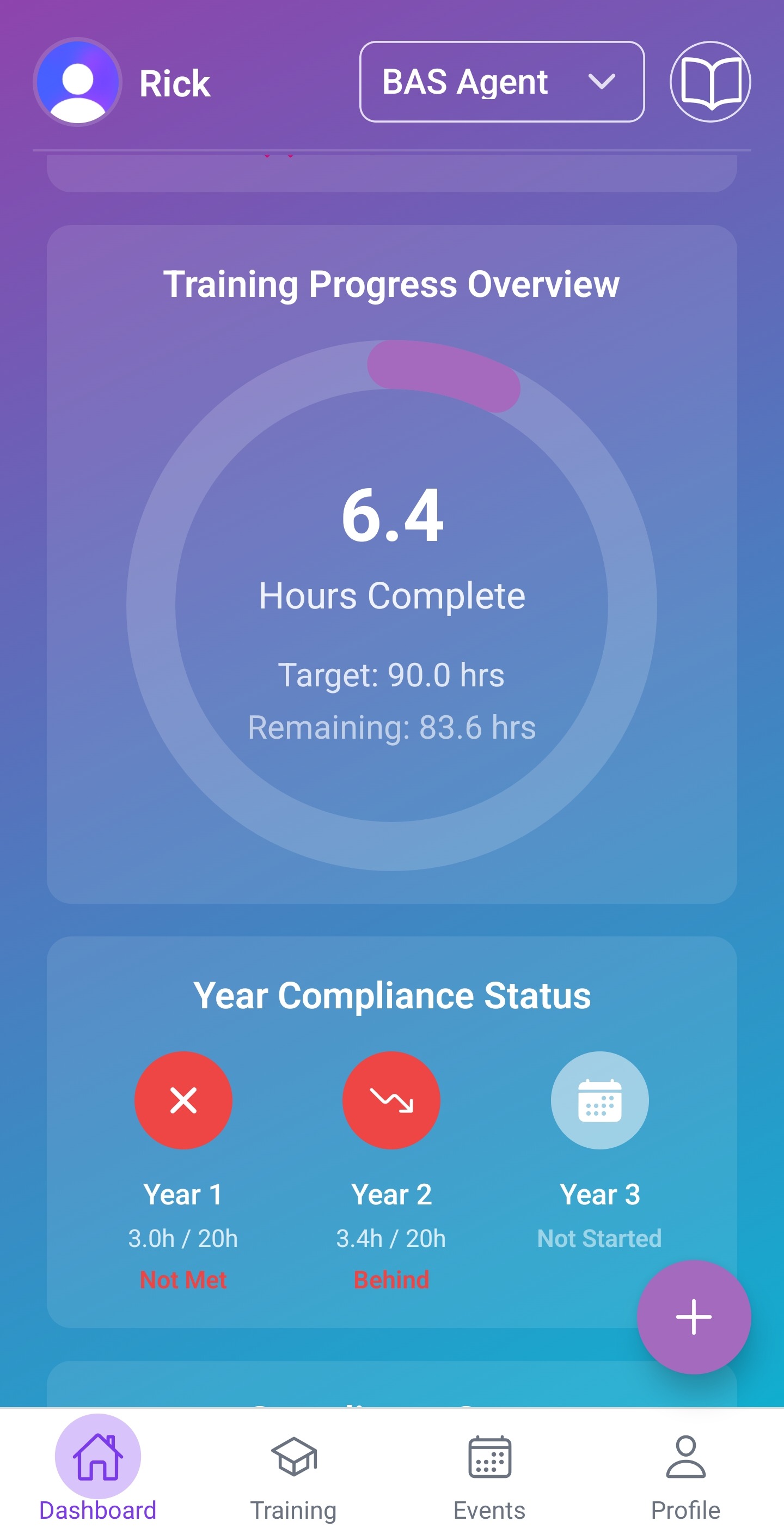
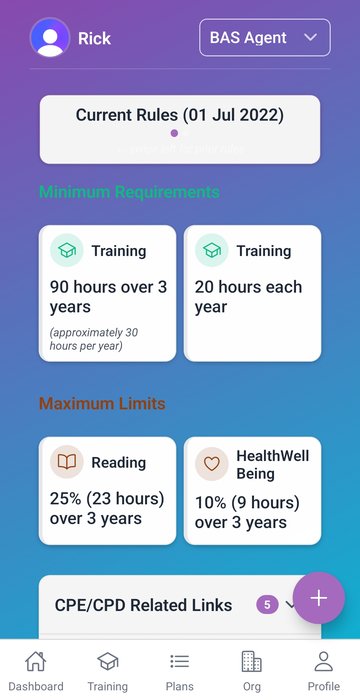
See your pace, every day.
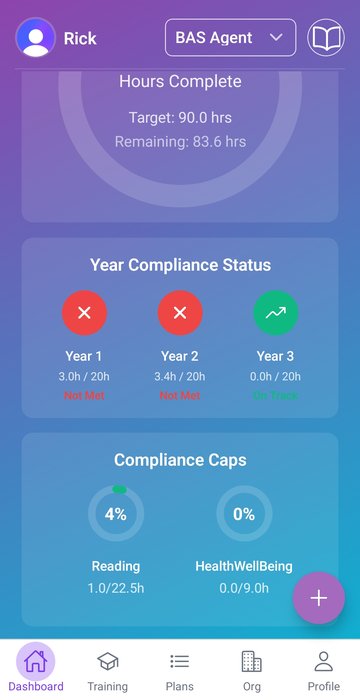
Open the dashboard. See hours captured, hours required, days remaining, the one category that's behind. Per role, per cycle. The conversation with yourself becomes "I have time" instead of "I'm behind".
Optional: create or join a team.
Sole agents skip this step. If you're in a practice, the principal can create the org, invite members, and (optionally) turn on approval workflow so partners sign off entries. Members keep using the app exactly as they did — but now their pace shows up on the org dashboard too.
More on For Teams →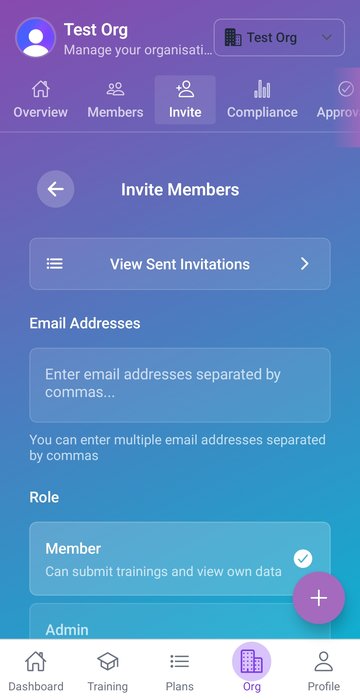
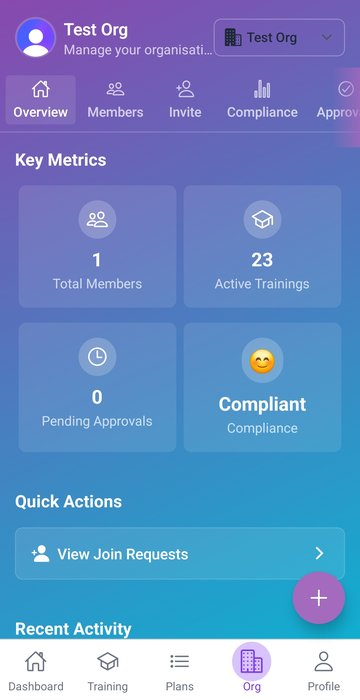
Manage the team in one screen.
If you run an org, the web portal is your home. Every member, every role, every category, every cycle — all in one place. Approve entries that are pending, assign a training plan, surface anyone who's behind early enough to do something about it.
Export TPB-ready in one click.
A single PDF with timestamped evidence, categories and totals. The format the regulator already expects. Mid-cycle for self-assessment, year-end for the actual audit, anytime for your own records.
Roll into the next cycle.
When the cycle closes you confirm the records, declare for any role that requires a declaration, and the new cycle opens. Old data stays accessible — the audit trail goes back as far as your account does.
Read the full walkthrough.
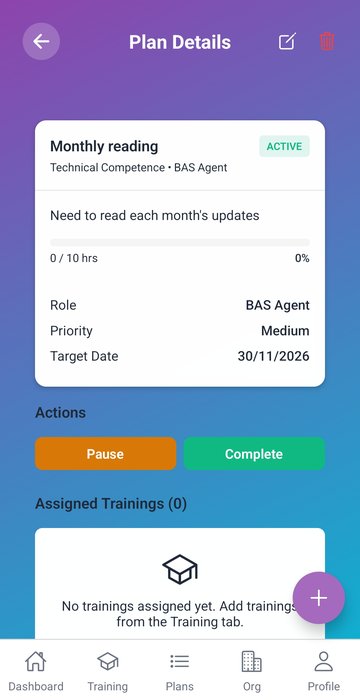
A deep dive on roles, rules, training records, plans, events, organisations and approval workflows — with a sidebar TOC so you can skip to what you need.
Ten short walkthroughs — coming soon.
We're recording short, focused clips of the actual app. Each card below is a planned video with its script outline. While we finish them off, the tab has the full walkthrough.
A few standards across all 10 videos.
- Hosting: upload to YouTube channel
@onestopcpe, embed viayoutube-nocookie.comwith?rel=0. - Length: target 50-110 seconds each. Total walkthrough < 15 minutes.
- Resolution: 1080p, 30fps. Mobile = portrait aspect, screen-record on iPhone with system audio. Web = 1920×1080 desktop capture.
- Audio: single voiceover (founder), recorded after the screen capture. Lapel mic preferred. Minimal background music (or none).
- Captions: upload an SRT — auto-captions are not enough for accessibility.
- Visual style: brand purple/cyan accent on annotations. Use the same Inter Tight font for any title cards. End-card animation 5-7 seconds.
- Test data: use ricktest1 / ricktest2 fixtures — never real client PII on screen.
- Order of recording: 01-05 first (covers the personal flow), 06-10 next (teams). Each video should reference the next one in its end card to keep viewers in the playlist.